Static code analysis is one of the most effective ways to catch security vulnerabilities before they ever reach production. When you scan your codebase with the right tools, you uncover issues that manual code review often misses: injection flaws, buffer overflows, hardcoded credentials, and logic errors that attackers love to exploit.
For mid-level developers, understanding how vulnerability detection works at the static analysis level is a career-defining skill. The stakes are real. A single unpatched flaw can lead to data breaches costing millions. Error checking at the source code level, before runtime, gives your team a genuine security advantage.
This guide walks you through the practical steps of using static analysis to find and fix hidden vulnerabilities in your projects. If you are already familiar with common patterns, our guide on how to fix common code errors found during security reviews provides a solid companion resource.
Key Takeaways
- Static analysis catches vulnerabilities without executing the code, making it faster than dynamic testing.
- Taint analysis and data flow tracking are the core techniques behind most vulnerability detection engines.
- Integrating static scan tools into CI/CD pipelines catches issues before they reach production.
- False positives are inevitable; learning to triage them efficiently saves significant developer time.
- Combining static analysis with secure code review practices produces the strongest security posture.
1. Understand How Static Analysis Finds Vulnerabilities
Taint Analysis and Data Flow Tracking
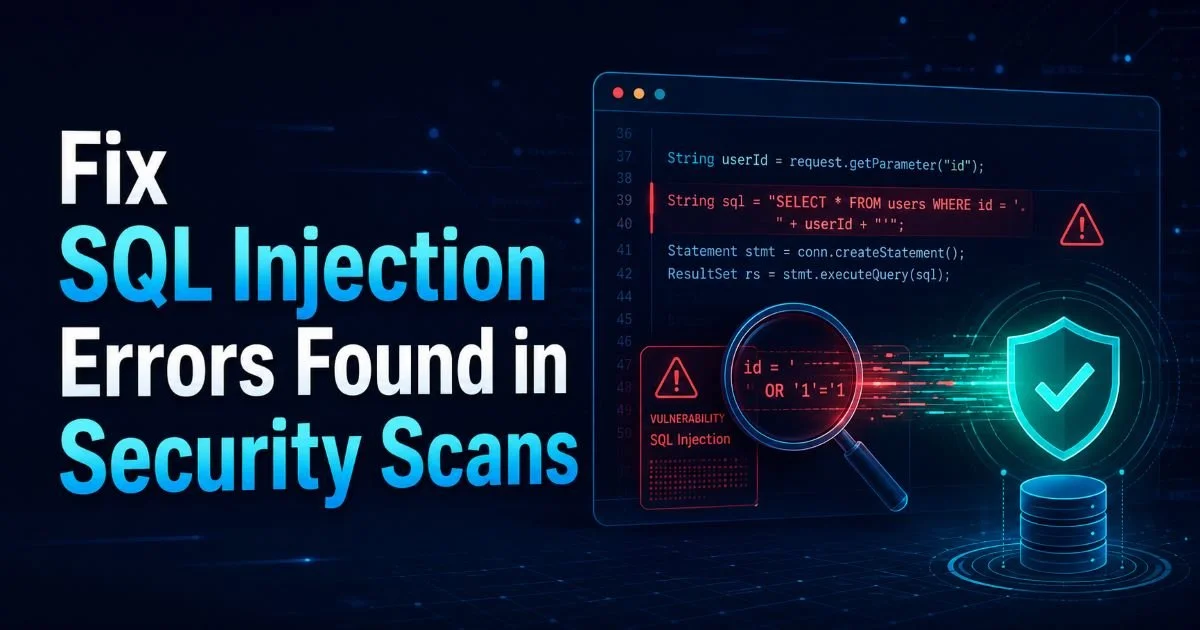
Static analysis tools work by examining source code without executing it. The most powerful technique they use is taint analysis, which tracks untrusted data from its entry point (a "source") through the program to a sensitive operation (a "sink"). If user input from an HTTP request reaches a SQL query without sanitization, the tool flags it as a potential SQL injection vulnerability. This source-to-sink tracking is what makes static analysis so effective at finding injection-class bugs that manual review frequently overlooks.
Data flow analysis goes deeper by modeling how variables change across function calls, loops, and conditional branches. The analyzer builds an abstract representation of every possible execution path and checks whether dangerous patterns exist on any of them. For example, if a buffer is allocated with a fixed size but populated from user input without bounds checking, the tool identifies the overflow risk. This happens entirely at compile time or during a dedicated scan phase, meaning you get feedback before a single test is run.
Pattern Matching and AST Inspection
Beyond data flow, static analyzers also use pattern matching against known vulnerability signatures. The tool parses your code into an abstract syntax tree (AST) and checks it against a rule database. Hardcoded passwords, use of deprecated cryptographic functions, and insecure random number generation are all detectable through pattern matching alone. These rules are often mapped to standards like CWE (Common Weakness Enumeration) or OWASP Top 10, giving each finding a recognized classification.
The combination of taint analysis and pattern matching creates a two-layer detection system. Taint analysis catches complex, multi-step vulnerabilities. Pattern matching catches simpler but equally dangerous coding mistakes. Together, they provide broad vulnerability detection coverage that neither technique could achieve alone. Understanding this distinction helps you interpret scan results more accurately and prioritize what actually needs fixing.
Static analysis cannot detect all vulnerability types. Runtime issues like race conditions and authentication logic flaws often require dynamic analysis or manual review.
2. Choose and Configure Your Static Analysis Tools
Popular Tools and What They Cover
Selecting the right tool depends on your language, framework, and what types of vulnerabilities matter most to your project. Open-source options like Semgrep, SonarQube Community, and Bandit (for Python) offer a strong baseline coverage. Commercial tools like Checkmarx, Fortify, and Snyk Code provide deeper analysis, lower false positive rates, and enterprise integrations. Each tool has strengths: Semgrep excels at custom rule creation, while SonarQube offers broad multi-language support with quality gate enforcement.
Configuration is where most teams stumble. Running a tool with default settings on a large codebase produces thousands of findings, many of them irrelevant. Start by enabling only the rules that align with your threat model. If you are building a web application, prioritize OWASP Top 10 rules. If you are writing systems-level code in C or C++, focus on memory safety rules. Narrowing the rule set produces cleaner, more actionable output that developers will actually read and respond to.
You also need to tell the tool about your project's structure. Most analyzers need to know which files are entry points, which frameworks you use, and where your trust boundaries are. For example, in a Spring Boot application, annotating controller methods as sources helps the tool trace untrusted input more accurately. Spending 30 minutes on configuration saves hours of triaging irrelevant findings later. This upfront investment is what separates teams who get real value from static analysis and those that abandon it after one noisy run.
Create a baseline suppression file for known false positives so new scan results only show genuinely new issues.
When comparing development approaches, the choice of platform also affects your security posture. For instance, comparing no-code platforms like Bubble and Lovable reveals different trade-offs in how much control developers retain over the underlying code and, by extension, how effectively static analysis tools can scan it. The more code you own, the more you benefit from static error checking.
3. Integrate Static Scans Into Your Development Workflow
CI/CD Pipeline Integration
The biggest mistake teams make is treating static analysis as a quarterly audit rather than a continuous process. The right approach is to embed your scan tool directly into the CI/CD pipeline so every pull request gets analyzed automatically. GitHub Actions, GitLab CI, and Jenkins all support static analysis integrations natively or through plugins. When a developer opens a PR, the scan runs, and findings appear as inline comments on the changed code. This tight feedback loop catches vulnerabilities at the point where they are cheapest to fix.
read also What Is an AI Readiness Website Audit? A Complete Guide
Configure your pipeline to use quality gates that block merges when critical or high-severity vulnerabilities are detected. This is not about being punitive; it is about establishing a clear standard. Most tools let you set thresholds: block on critical findings, warn on medium, and ignore low severity. You can also scope the scan to only analyze changed files for faster feedback on large codebases, while running full scans nightly or on the main branch. This hybrid approach balances thoroughness with developer velocity.
Handling False Positives Effectively
False positives are the number one reason developers lose trust in static analysis tools. Studies suggest that 30 to 50 percent of findings from some tools are false positives, and that number climbs if the tool is misconfigured. The solution is not to ignore all findings but to build a systematic triage process. Assign a security champion on the team who reviews flagged issues weekly, marks true positives for remediation, and suppresses false positives with documented justifications.
"A static analysis tool is only as good as the team's willingness to act on what it finds."
Most tools support suppression mechanisms: inline comments like // nosec or @SuppressWarnings, centralized suppression files, or dashboard-based dismissals. Always require a reason when suppressing a finding. Over time, your suppression list becomes a valuable artifact that tells future developers why certain patterns were deemed safe. This discipline transforms your static analysis setup from a noisy alarm into a trusted security advisor that the entire team respects.
| Tool | Languages | Open Source | CI/CD Integration | Custom Rules |
|---|---|---|---|---|
| Semgrep | 17+ | Yes | Native | Excellent |
| SonarQube | 30+ | Community Edition | Native | Good |
| Checkmarx | 25+ | No | Native | Good |
| Bandit | Python only | Yes | Via plugins | Limited |
| Snyk Code | 10+ | Free tier | Native | Moderate |
4. Act on Findings and Build a Secure Code Culture
Prioritizing and Remediating Findings
Not every finding deserves immediate attention. Prioritize based on severity (critical vulnerabilities first), exploitability (is the vulnerable code reachable from an external interface?), and business impact (does this code handle sensitive data?). Most static analysis tools assign a severity rating, but you should cross-reference it with your application's context. A hardcoded API key in a public-facing microservice is far more dangerous than one in an internal build script, even though both might be flagged as "high" severity.
When remediating, treat each finding as a learning opportunity. Rather than just fixing the immediate issue, ask why the vulnerability was introduced. Was it a gap in the developer's knowledge about input validation? Was the team under pressure and skip the secure code review? Identifying root causes helps you build targeted training. For instance, if your scans repeatedly flag XSS vulnerabilities, run a focused workshop on output encoding and template security for the team.
Never suppress a critical finding without a documented security justification reviewed by a second team member.
Building Long-Term Habits
Static code analysis is most powerful when it becomes an expected part of development, not an afterthought bolted on before release. Encourage developers to run local scans before pushing code, using IDE plugins from tools like SonarLint or Semgrep. This catches issues even earlier than the CI pipeline. The faster a developer learns about a vulnerability, the faster they internalize the secure coding pattern. Over weeks and months, you will notice certain vulnerability categories dropping to near zero in scan results.
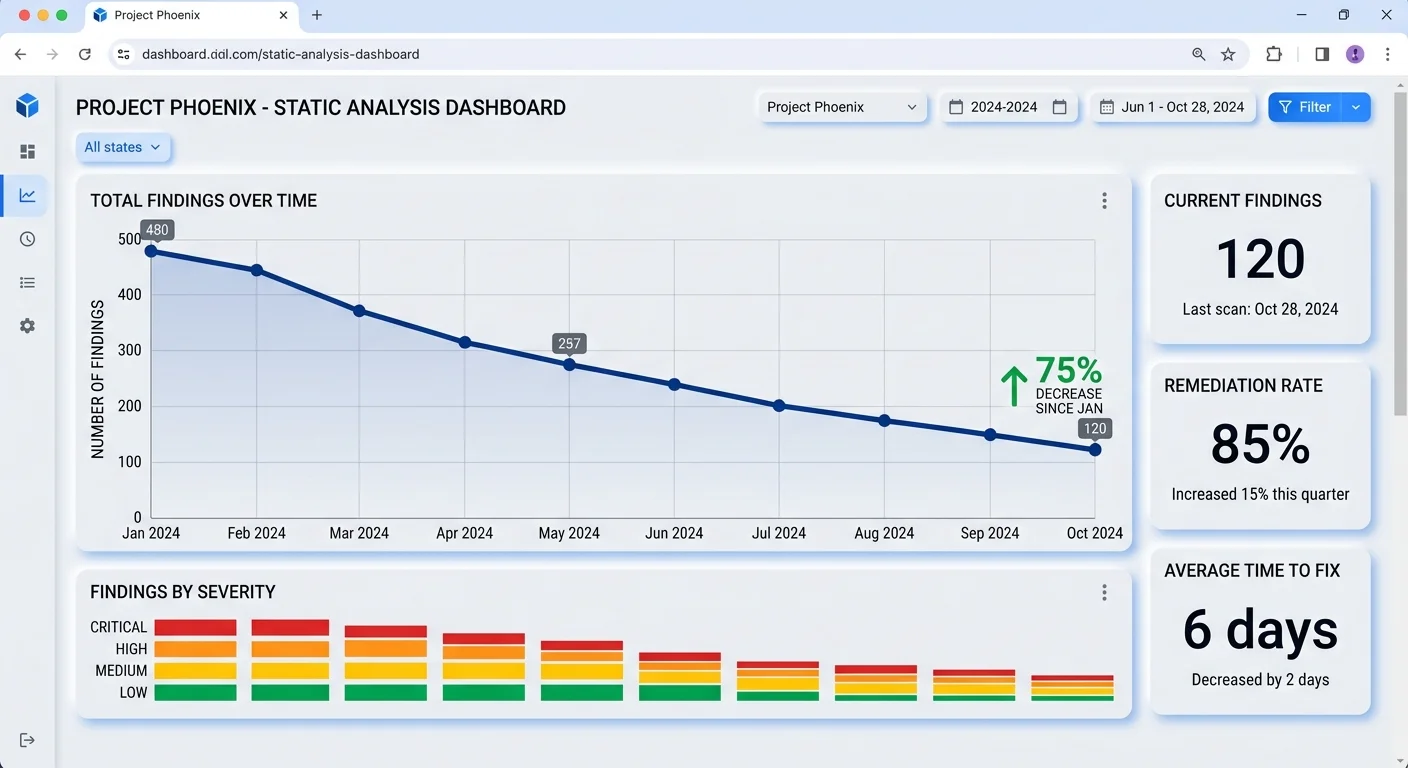
Track your metrics over time. Monitor the number of new findings per sprint, the mean time to remediate critical issues, and the false positive rate. Share these metrics in sprint retrospectives to keep security visible. Teams that measure their progress tend to improve steadily, while teams that treat security as someone else's problem find themselves firefighting in production. Building a secure code culture does not require perfection on day one. It requires consistency, accountability, and a genuine commitment to improving with every scan cycle.
Set a team goal of reducing new high-severity findings by 25 percent each quarter to maintain steady improvement.
Final Thoughts
Static code analysis transforms vulnerability detection from a manual, error-prone process into a repeatable, automated discipline. By understanding how taint analysis and pattern matching work, choosing the right tools, integrating scans into your CI/CD pipeline, and acting on findings with a clear prioritization framework, you build software that is genuinely more secure.
The hidden vulnerabilities in your codebase are not going to find themselves. Start with one tool, one pipeline integration, and one committed team, then expand from there as your confidence and coverage grow.
Disclaimer: Portions of this content may have been generated using AI tools to enhance clarity and brevity. While reviewed by a human, independent verification is encouraged.