Secure code review is the foundation of any team that ships reliable software. Whether you're running a static analysis scan on a pull request or performing vulnerability detection across an entire repository, the tools you choose directly shape the quality and safety of your product. Mid-level developers often find themselves caught between legacy processes and modern toolchains, unsure which code error checking workflows actually reduce risk versus those that just generate noise.
The stakes are real: a missed security flaw in production can cost your organization millions and erode user trust overnight. This guide walks you through a practical, step-by-step approach to selecting and deploying the best secure code review tools for your team. If you're already familiar with common pitfalls, our breakdown of how to fix common code errors found during security analysis is a useful companion resource.
By the end of this article, you'll have a clear framework for evaluating tools, integrating them into your CI/CD pipeline, and building a culture of proactive code security.
Key Takeaways
- Static analysis tools catch vulnerabilities before code ever reaches production environments.
- Integrate scanning directly into your CI/CD pipeline to avoid bottlenecks.
- False positive rates vary wildly between tools, so test before committing.
- Open-source and commercial tools serve different team sizes and compliance needs.
- Pair automated scanning with manual code review for the strongest defense.
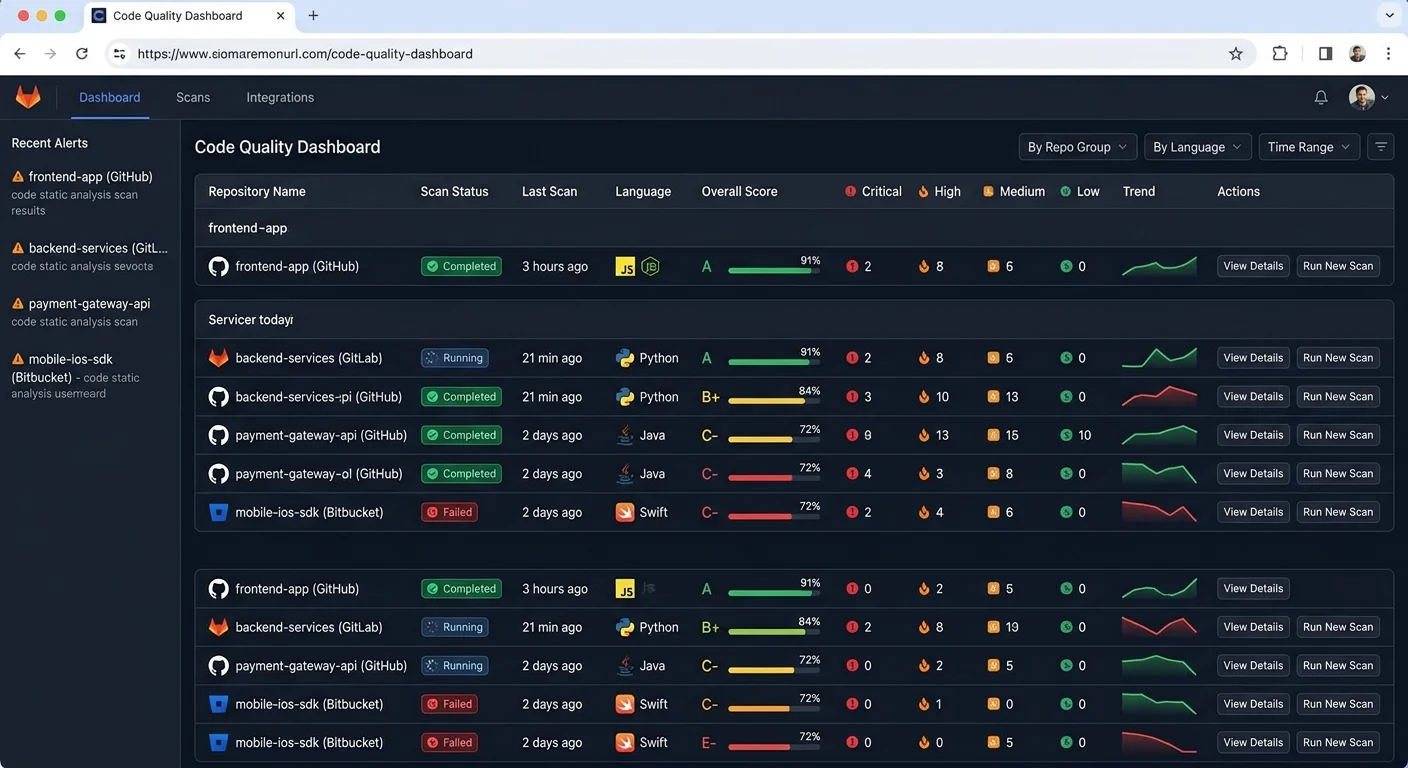
1. Evaluate Your Team's Security Scanning Needs
Language and Framework Coverage
Before you even look at a product page, audit your stack. A tool that excels at Java static analysis may offer only superficial support for Python or Go. List every language, framework, and build system your team actively uses, then cross-reference that list with each tool's documented support matrix. This single step eliminates about half the options on the market and saves you from painful mid-adoption surprises.
Consider the size and structure of your codebase too. Monorepos demand different scanning strategies than microservice architectures with dozens of smaller repositories. Some tools handle incremental scans well, analyzing only changed files, while others insist on full-project scans that slow down your pipeline. If your team pushes hundreds of commits daily, incremental scanning isn't optional; it's a requirement for keeping developers productive.
Compliance and Reporting Requirements
Regulated industries like finance, healthcare, and real estate technology demand audit trails and specific vulnerability classification standards such as CWE and OWASP Top 10. If your team builds APIs that handle sensitive data (similar to how teams working with real estate APIs manage property and financial records), your tool must map findings to recognized standards. Without this mapping, compliance audits become a manual, error-prone exercise.
Export formats matter as well. Your security team likely needs SARIF, PDF, or CSV reports. Some tools generate beautiful dashboards but make it difficult to extract raw data for external auditors. Confirm that your chosen tool supports the reporting formats your compliance workflow actually requires before you invest time in configuration.
Create a simple spreadsheet scoring each tool across five criteria: language support, CI/CD integration, false positive rate, compliance reporting, and cost per developer seat.
2. Compare the Leading Static Analysis Tools
Open-Source Versus Commercial
The open-source landscape for code security scanning is strong. SonarQube Community Edition, Semgrep, and Bandit (for Python) are all capable tools with active communities. They work well for small to mid-sized teams that have the engineering bandwidth to configure rules, tune false positives, and maintain integrations themselves. The trade-off is time: open-source tools rarely offer turnkey setup.
Commercial tools like Checkmarx, Snyk Code, Veracode, and GitHub Advanced Security bundle rule sets, support contracts, and polished integrations into a single package. They tend to produce fewer false positives out of the box because their rule engines are commercially maintained. For teams that lack a dedicated AppSec engineer, paying for a commercial tool often costs less than the developer hours burned on manual configuration.
The following table summarizes how several popular tools compare across key dimensions that mid-level developers care about most. Use it as a starting point for your own evaluation, not as a definitive ranking, because your results will vary based on language mix, repo size, and team workflow.
| Tool | Type | Languages | CI/CD Integration | False Positive Rate | Starting Cost |
|---|---|---|---|---|---|
| SonarQube CE | Open-Source | 29+ | Jenkins, GitHub Actions, GitLab CI | Medium | Free |
| Semgrep | Open-Source | 30+ | GitHub Actions, GitLab, Buildkite | Low-Medium | Free (Pro paid) |
| Snyk Code | Commercial | 10+ | GitHub, Bitbucket, Azure DevOps | Low | Free tier available |
| Checkmarx SAST | Commercial | 25+ | All major platforms | Low | Enterprise pricing |
| Veracode | Commercial | 20+ | Jenkins, Azure, GitHub | Low | Enterprise pricing |
| CodeQL (GitHub) | Free for public repos | 8 | GitHub Actions native | Low | Free (public), paid (private) |
When benchmarking, run each tool against the same representative codebase. Track total findings, confirmed true positives, and the time each scan takes. A tool that finds 500 issues but only 50 are real problems will exhaust your team faster than one that finds 80 issues with 70 confirmed vulnerabilities. Precision matters more than volume in vulnerability detection.
3. Integrate Tools Into Your Development Workflow
CI/CD Pipeline Integration
The most effective code security scan is the one developers actually see. That means embedding your tool directly into the pull request workflow. Configure the scanner to run on every PR, post results as inline comments on the diff, and block merges when critical or high-severity findings appear. This "shift left" approach catches bugs before they land on the main branch, dramatically reducing remediation costs.
Most modern tools ship with official GitHub Actions, GitLab CI templates, or Jenkins plugins. Configuration typically involves adding a YAML file to your repository and setting a few environment variables for API keys or project identifiers. The initial setup takes under an hour for most tools. The real work comes in tuning thresholds: deciding which severity levels block merges, which get flagged as warnings, and which are suppressed entirely.
Never suppress findings globally without documenting the reason. Suppressed rules create blind spots that attackers exploit.
IDE and Pre-Commit Hooks
Catching issues in CI is good, but catching them while typing is better. Several tools offer IDE extensions for VS Code, IntelliJ, and other popular editors. Semgrep's VS Code extension, for instance, highlights risky patterns in real time as you write code. Snyk also provides IDE plugins that flag known vulnerable dependencies right in the import statement. These integrations reduce the feedback loop from minutes to seconds.
Read also Prompt Engineering vs Prompt Writing: Key Differences
Pre-commit hooks add another layer. Tools like pre-commit (the framework) can run lightweight static analysis checks before code even reaches your remote repository. This is ideal for catching secrets, hardcoded credentials, or obvious injection patterns. Keep pre-commit checks fast, under 10 seconds, or developers will bypass them. Reserve heavier scans for the CI pipeline where longer runtimes are acceptable.
"The best security tool is the one your developers actually use every day, not the one with the longest feature list."
4. Build a Sustainable Review Culture
Training and Ownership
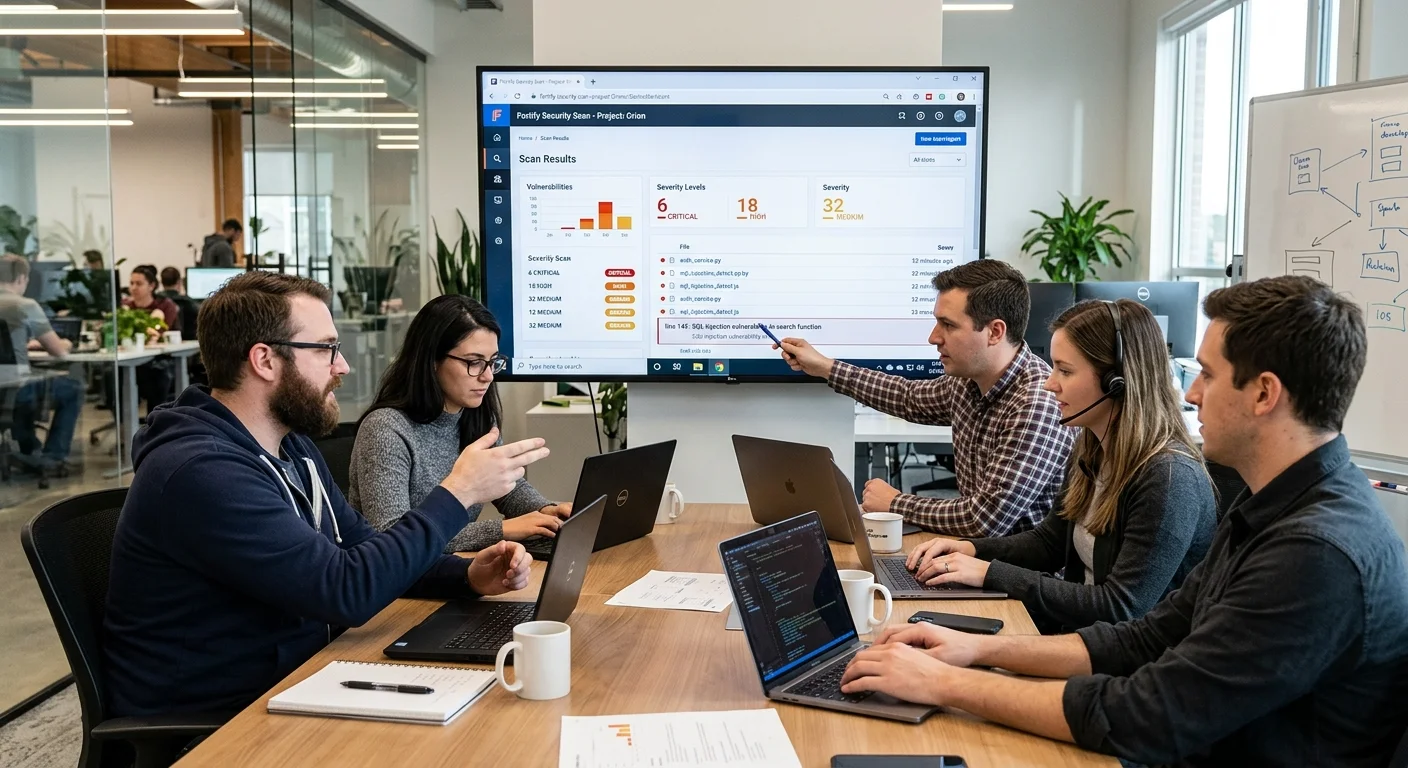
Tools alone don't fix problems; people do. Schedule quarterly training sessions where developers review real findings from your own codebase, not generic examples from a vendor slide deck. Walking through an actual SQL injection finding that almost shipped is far more memorable than reading about one in documentation. These sessions build pattern recognition that makes manual code review more effective alongside automated scanning.
Assign clear ownership for security findings. When a static analysis scan flags an issue, it should route to the developer who wrote the code, not to a generic security backlog. Ownership creates accountability. Many teams use a "security champion" model where one developer per squad takes responsibility for triaging findings, escalating genuine risks, and suppressing false positives with documented rationale. This distributes the workload without overloading a central security team.
Security champions don't need to be senior engineers. Mid-level developers with curiosity and strong communication skills often excel in this role.
Metrics That Matter
Track four numbers to gauge your secure code review program's health: mean time to remediate (MTTR) for critical findings, false positive rate over time, scan coverage as a percentage of repositories scanned, and developer satisfaction with the tooling. MTTR tells you how quickly your team closes real gaps. False positive rate trending downward means your tuning is working. Coverage below 80% means you have blind spots.
Developer satisfaction is the metric most teams skip, and it's the one that predicts long-term adoption. If developers find the tool annoying, slow, or unhelpful, they'll work around it. Run a brief anonymous survey every quarter. Ask three questions: Is the tool accurate? Is it fast enough? Does it help you write better code? Low scores on any dimension signal that you need to revisit your configuration or consider switching tools. Sustainable security isn't a checkbox; it's an ongoing practice that requires real buy-in from the people writing the code.
FAQs
Final Thoughts
Choosing the right secure code review tools is a practical decision, not a theoretical one. Start by mapping your team's actual needs, test two or three options against a real codebase, and prioritize integration into existing workflows over feature count. Combine automated static analysis and vulnerability detection with human judgment for the strongest results. The tools keep evolving, so revisit your choices annually and adjust based on the metrics your team collects.
Disclaimer: Portions of this content may have been generated using AI tools to enhance clarity and brevity. While reviewed by a human, independent verification is encouraged.